Ctrl+K
tomwer  documentation - Home tomwer  documentation - Home
1.6
  • Tutorials
  • User Guide
  • API Reference
  • Canvas
  • Development
    • Other Applications
  • youtube
  • pypi
  • gitlab
  • Tutorials
  • User Guide
  • API Reference
  • Canvas
  • Development
  • Other Applications
  • youtube
  • pypi
  • gitlab

Section Navigation

  • Installation
  • Glossary
  • Tomotools Trainings
  • Recommended Way to Use (ESRF) SLURM Cluster
  • Troubleshooting
  • Python Scripts
    • Copying a NXtomo
    • Search for NXtomo(s), Modify, and Resume Processing
    • Filter Scans with Failed Processes
    • Holo-Tomo Normalize Reconstructed Slices
    • Load a Volume as a Python NumPy Array
    • Modify Some EDF Metadata
    • Remove reconstructed volumes
    • Saving Reconstruction(s) Under a Different Name
    • Select a GPU
    • Create a Text File with CoR Values
    • Define Default Directory for Qt (Input) Dialog
  • Publish Processed Data to the Data Portal
  • Scan / Process Supervision - Advancements
  • User Input(s) Formatting and Keywords
  • Multi-entry (NXtomo) File
  • OpenGL backend
  • Providing / Searching a List of Scans
  • User Guide
  • Recommended Way to Use (ESRF) SLURM Cluster

Recommended Way to Use (ESRF) SLURM Cluster#

There are several ways to use the SLURM cluster at ESRF. Given the limited resources (especially GPUs), here is the recommended approach to use the SLURM cluster with Tomwer:

  1. Connect to the SLURM cluster front-end:

    ssh -XC cluster-access
    
  2. Connect to the ‘interactive’ partition in ‘interactive’ mode:

    salloc --partition interactive --x11 srun --pty bash -l
    
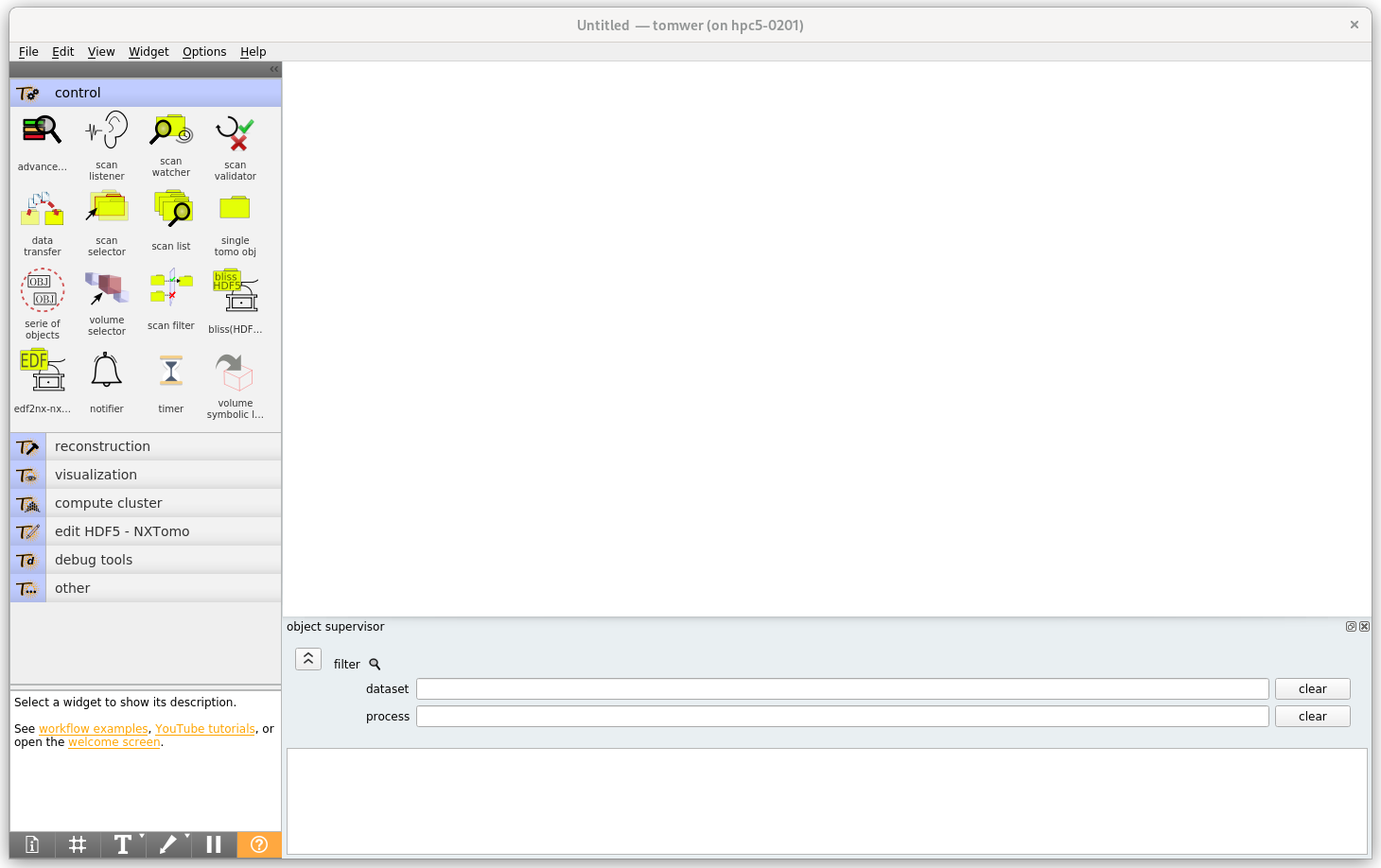
  3. On the node, activate the version of Tomwer that you want to use and start the `canvas` application:

    module load tomotools
    tomwer canvas
    

    You should now see the ‘canvas’ interface.
    ../_images/canvas_interface.png

    Hint

    You can specify a version of Tomotools when you load the module (like dev or stable):

    module load tomotools/{dev|stable|1.x}
    
  4. Trigger all jobs requiring a GPU (e.g., Nabu reconstructions) remotely.

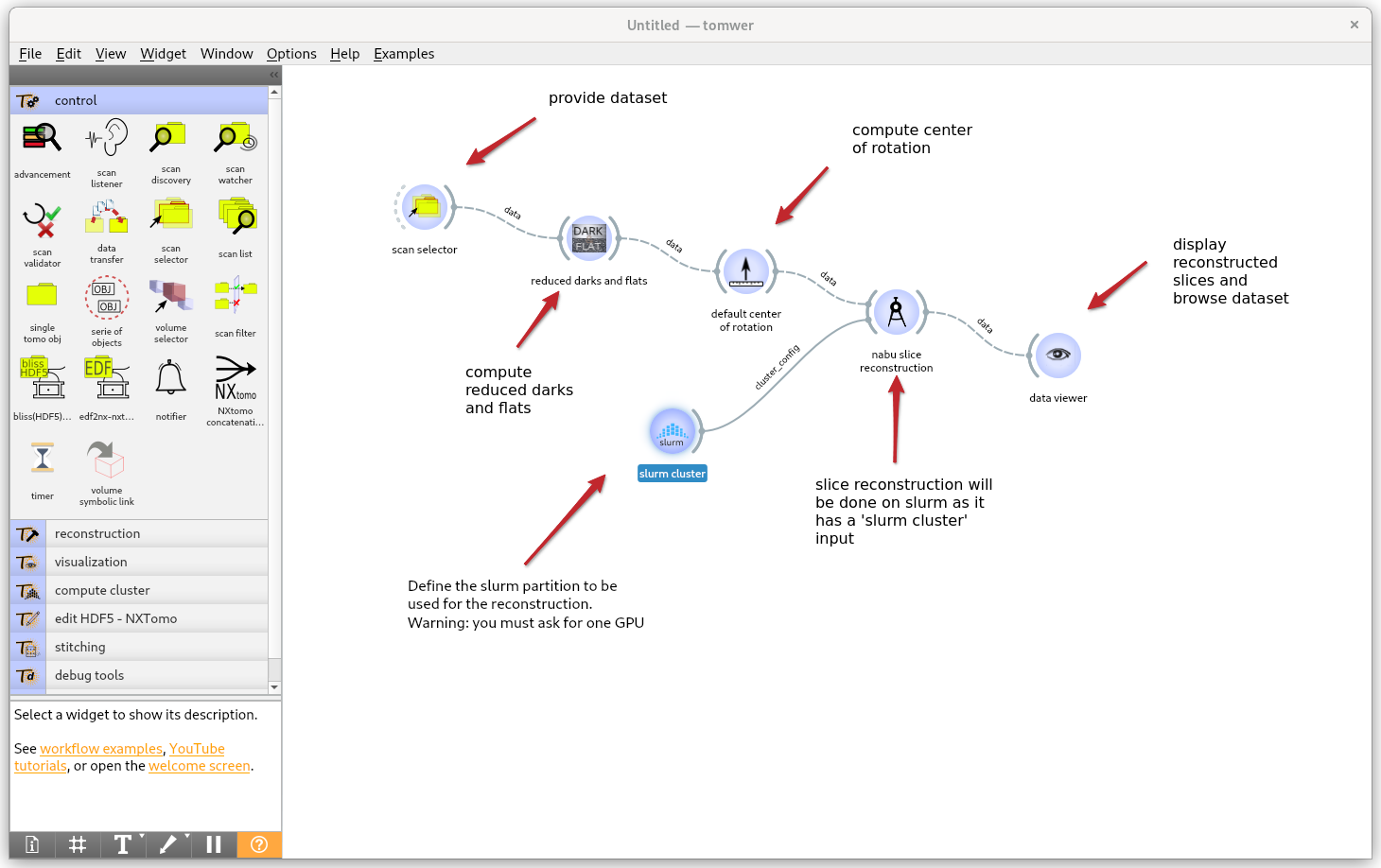
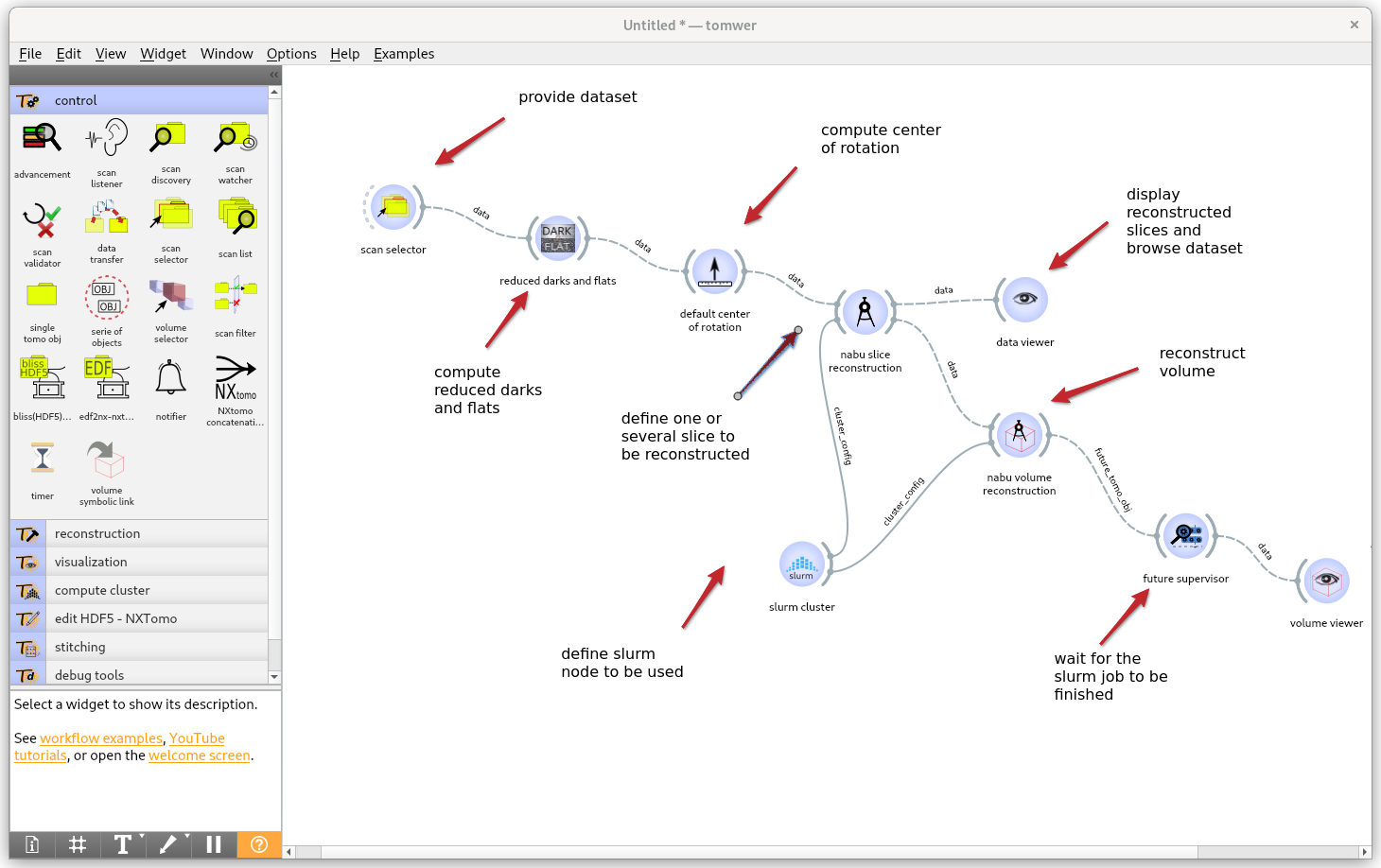
    Here are two examples:

    • Reconstructing one slice over SLURM:

      ../_images/example_slice_reconstruciton_over_slurm.png
    • Reconstructing one slice and a full volume over SLURM:
      ../_images/example_slice_and_volume_over_slurm.png

    Remember that some examples of workflows using SLURM are available in examples/remote processing with SLURM, and a video demonstrating this use case is available:

    • https://youtu.be/HYufV7Ya9v8

    Warning

    Please remember that all ‘Nabu’ tasks will require a GPU, so you will not be able to run them locally on the ‘interactive’ partition or any node without a dedicated GPU.

previous

Tomotools Trainings

next

Troubleshooting

© Copyright 2016-2025, ESRF.

Created using Sphinx 8.2.3.

Built with the PyData Sphinx Theme 0.16.1.