


volume object#
Tomwer handles volume objects. Volume objects are generated by the following widgets (since version 1.1):
volume selectorcast volumenabu volume reconstructionpython script
Here are two videos showing how you can create a volume object from scratch:
From the dedicated interface: https://www.youtube.com/watch?v=4-RJKWlP74w
By drag and drop of a path plus some guessing from Tomwer: https://www.youtube.com/watch?v=R2jJrIZlGY8
Volume Cast  #
#
The volume cast widget mimics the Nabu API. Here is an example of how to create a volume object and cast it:
Note: You can either connect a data or a volume object to the cast volume. If linking a data object, the volume must have been reconstructed upstream.
Warning: Volume casting currently utilizes only CPUs and does not support GPUs. Please avoid using GPU partitions for casting operations.
[1]:
from tomwer.resources.video import Video

Video("gQRWCsyIm7U", height=500, width=800)
[1]:
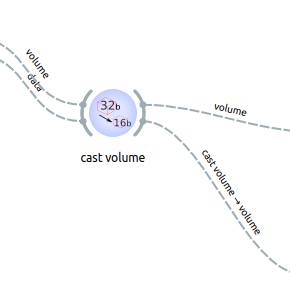
Warning: The cast volume widget now returns two volumes:
volume: the original volumecast volume: the casted volume
Hands-on Exercise A#
Take one of the volumes from
/data/projects/tomo-sample-data/training/workspaces/[date]/[user_ID]/PROCESSED_DATA/volume_castingand cast it to another type using thevolume selectorandcast volumewidgets.Display the volume using the
volume viewer
Hint: The volume viewer can also be used as a standalone application through ‘tomwer volume-viewer’