Skip to main content
Back to top
Ctrl
+
K
2.0
Tutorials
User Guide
API Reference
Canvas
Development
Other Applications
Search
Ctrl
+
K
System Settings
Light
Dark
Search
Ctrl
+
K
Tutorials
User Guide
API Reference
Canvas
Development
Other Applications
System Settings
Light
Dark
Collapse Sidebar
Expand Sidebar
Section Navigation
Canvas Objects
Using Slurm Cluster
Example of a Future Scan Creation in a Python Widget
Task Cancellation
Widgets
advancement
Blissdata Listener
scan discovery
Old scan listener
scan selector
scan validator
email notifier
notifier
scan filter
NXtomo concatenation
nxtomomill - edf2nx (Spec-EDF)
nxtomomill h52nx (bliss-HDF5)
series of objects
single tomo obj
timer
volume selector
center of rotation finder
reduced darks and flats
copy reduced darks and flats
nabu slice reconstruction
nabu volume reconstruction
multi-cor
multi-pag
cast volume
Cluster Monitor
Cluster Configuration
diff frame viewer
slice stack
sinogram viewer
volume viewer
data viewer
radio stack
sample moved
nxtomo-metadata-viewer
dark-flat-patch
image-key-editor
image-key-upgrader
nxtomo-editor
Data Portal Publishing
python script
Tomo objs hub
Canvas
Widgets
python script
python script
#
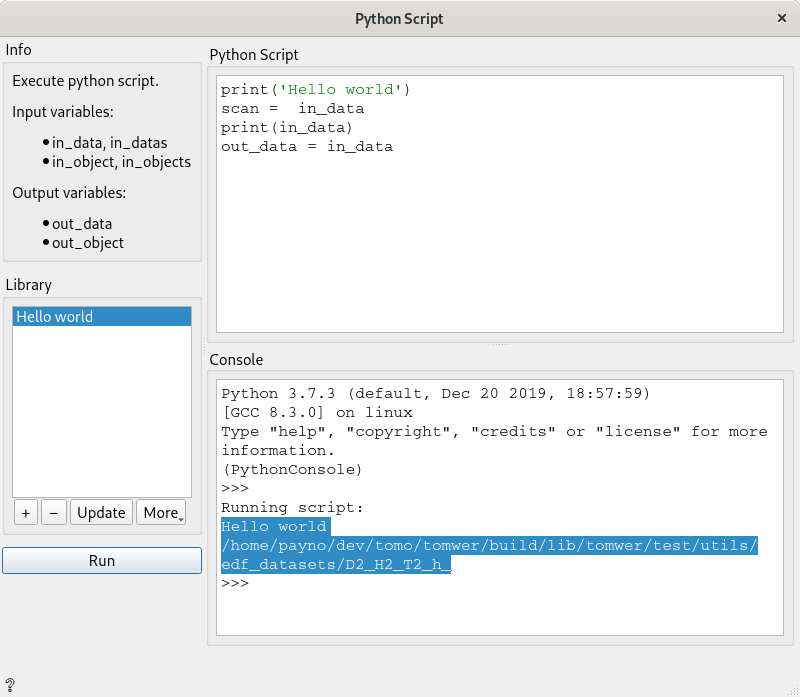
Allows to process some python script when received.