


copy reduced darks and flats#
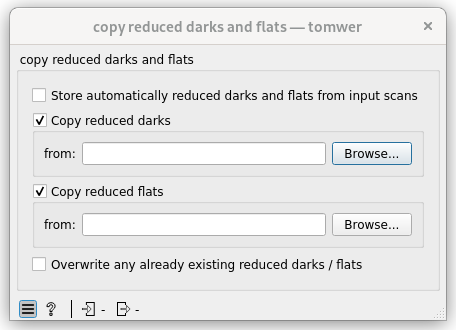
Behavior#
This widget permits users to copy reduced darks and flats from another dataset.
Options#
Store automatically reduced darks and flats from input scans#
This is also sometime called ‘auto’ mode.
Warning
In version 1.x, a buffer was used to copy reduced darks/flats, assuming the dataset might be moved during its lifetime. This mechanism has been removed.
Current Behavior: If the reduced darks/flats change between storing the URL and the actual copy, those modifications will be reflected in the final copied reduced frames.
Copy reduced darks#
If activated the reduced darks frame will be copied from the URL specified in the group.
Copy reduced flats#
If activated the reduced flats frame will be copied from the URL specified in the group.
Overwrite any already existing reduced darks or flats#
If the input scan already contains reduced darks or flat they will be overwritten.
Warning
if you request both overwriting and automatic storage of reduced darks/flats, the operation will result in no modifications. Storage of reduced darks/flats occurs before the copy process.