


tomwer radio-stack#
Purpose#
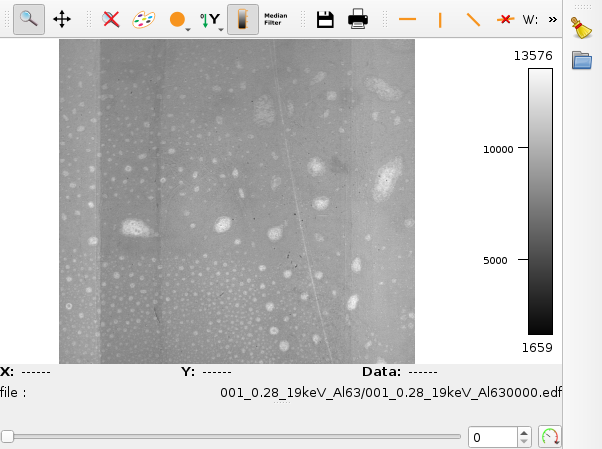
The tomwer radio-stack command is used to view all existing slices under a root directory. It will parse all subfolders for existing reconstructions and store them into a browsable stack. Slices will be sorted first by folder, then by slice index.
Usage#
Unknown command: radio-stack
usage: tomwer [--version|--help] <command> [<args>]

The tomwer commands are:
   canvas             open the orange-canvas
   cor                Compute center of rotation of a scan or between two projections
   diff-frame         Tool to compare any frame from the acquisition
   estimate-motion    Tool to estimate the sample motion along projections.
   help               Show help of the following command
   image-key-editor   Tool to modify in place frames image key parameter.
   image-key-upgrader Tool to upgrade in place frames image key parameter.
   multi-cor          Compute a slice with different values of cor
   multi-pag          compute a slice with different values of delta / beta values
   nabu               Use nabu to reconstruct a given scan
   nxtomo-editor      Use to edit a NXtomo
   ows-to-script      Convert a .ows file to python script
   patch-raw-dark-flat patch raw dark and / or flat to a NXtomo entry
   reduce-dark-flat   Compute reduce darks / flats (mean / median of raw darks and flats)
   sample-moved       Interface to check if a sample have moved during acquisition
   scan-viewer        Scan viewer / browser
   sinogram-viewer    Allows to compute on the fly sinogram and display them
   slice-stack        Display each reconstruction contained in the ROOT_DIR or sub-folders
   test               Launch tomwer unittest
   volume-viewer      Launch tomwer volume-viewer. Allow to browse a volume.
   y-stitching        Launch y-stitcher interface
   z-stitching        Launch z-stitcher interface

See 'tomwer help <command>' to read about a specific subcommand
Example#
tomwer radio-stack my_scan.nx